
Prologue / CH.00
Living Fire活火
An AI coach for home latte art. Still in the lab.
Snap the design you want to pour and get a guide you can follow one step at a time. Film a pour and see exactly where the pitcher traveled across the cup.
The cup surface is rendered by our software from a stroke record, not filmed. Traces come from an early, purpose-built script with hand-tuned parameters.
Fig. 0b
The simulated cup, and a real pour.

Left: rendered from a stroke record, not a photo. Right: from a reference video found online; copyright belongs to its owner.
It starts with a heart that wouldn't come out right.
A heart that wouldn't hold.
You bought the espresso machine. You took a class and watched the tutorials. Then, back at your own counter, the same heart lands off-center one day and blurs into a blob the next.

At first he drank lattes without ever noticing what was drawn on top.
Then came a taster class, and an espresso machine for home.
One morning the heart just wouldn't come out right: off to the left, a tail dragging behind. For the first time, he badly wanted to get it right.
Feel is hard to put into words,and harder to teach.
It's rarely about steady hands. Pour height, flow rate and the finish just never got pulled apart and practiced one at a time.
We're building Living Fire for exactly this person: you own a home espresso machine, you've had lessons and watched the videos, and your pours still won't hold steady.
Living water needs a living fire.
Su Shi, "Drawing River Water to Brew Tea"
Our name comes from that line by the Song-dynasty poet Su Shi. Good water deserves the right heat, and coffee is no different: milk temperature, pour height, the speed of your wrist. Miss by a little and the cup tells a different story.
Turn feel into a trace you can read.
He writes software and works on reinforcement learning. So he started wondering: could a veteran barista's feel be broken into steps a machine can learn?
The route a pitcher takes during a pour can be written down as a list of strokes: what order, when each one starts and stops, and which move it is. The swan up top is one of those records.
Swan
pushPush: the spout slides forward along the surface and shoves the floating foam into stacked arcs.
Keep scrolling and it pours again, stroke by stroke, on its original timing.
Research demo: this trace comes from an early, purpose-built script with hand-tuned parameters. Our general "any video → path" pipeline can't yet recover a complete pattern.
Transition · Rendered illustration · not a product feature
From a swan on the cup to a swan in the round.
One photo, five steps.
Upload something you'd love to pour, like your dog. The software drafts three cup designs in different styles. Pick one, and it breaks that cup into five steps: which line to pour first, and what to add after.


- Step 1
Photo
Input: a photo of a corgi
- Step 2
Three drafts
Drafts: cute / realistic / textured
- Step 3
Chosen design
Chosen: two leaves for ears, a round face, squinting eyes
- Step 4
Five steps
Five steps · about 6.5 min from photo to poster · pourability not yet checked by a barista
Fig. 4
The posters so far.
Six of them, all generated by the software. The corgi and the owl are still experiments: we can make them, but not reliably yet.
- Poster 1 / 6Corgi
- Poster 2 / 6Owl
- Poster 3 / 6Layered heart
- Poster 4 / 6Swan
- Poster 5 / 6White cat
- Poster 6 / 6Tulip
Keep scrolling and the posters flip to the back, one by one.
- 1 / 6 · Corgi
- 2 / 6 · Owl
- 3 / 6 · Layered heart
- 4 / 6 · Swan
- 5 / 6 · White cat
- 6 / 6 · Tulip
Does the milk sink, or float?
A latte-art pour looks like a picture, but underneath it's a handful of parameters: how fine the microfoam is, how far the milk and espresso blend before the design starts, a pour height that goes from high to low, the flow rate, the size and rhythm of the wiggle, how far you push, and where you lift to finish.
Our job is to have software infer what those parameters should be from a photo, and read what they actually were from a video.
Fig. 5
- Step 1
Start high
With the spout high above the surface, the milk hits with force, dives under, and blends into the espresso. No white shows yet.
- Step 2
Bring it down
The spout drops until it's nearly touching the surface, and the tilt increases. The force eases off and the milk starts to stay on top.
- Step 3
Open up and draw
Close to the surface with more flow, white foam floats up. This is where the pattern begins.
The numbers in the figure are inputs and estimates from an illustrative model, not measurements.
What we can't do yet
- General video-to-path doesn't work yet. The traces on this page come from an early, purpose-built script with hand-tuned parameters.
- No barista has reviewed the step-by-step guides for pourability yet.
- We don't have accuracy data, so we don't quote any numbers.
- The hardware is still a concept. There's no prototype to show.
Fig. 6 · Concept · not a production design
Someday, maybe a machine that pours with you.
What we want to build is a machine that sits on your counter and pours alongside you. What it looks like is still undecided.
Concept sketch only, not the product design.
This next one was poured by a person.
A real pour, and the one the code drew.
Hand the software a pour video and it tries to reconstruct the route the pitcher took across the cup. On the left, the real pour. On the right, the trace of the same lion, running on the video's clock.
- 1 / 9Mane · side leaf 1
- 2 / 9Mane · side leaf 2
- 3 / 9Mane · side leaf 3
- 4 / 9Mane · side leaf 4
- 5 / 9Mane · arc over the head
- 6 / 9Small spring · behind the eye
- 7 / 9Small spring · under the eye
- 8 / 9Face · one continuous line
- 9 / 9Eye
The people behind it.
Living Fire started that morning. The team is based in Songshan Lake, Dongguan.
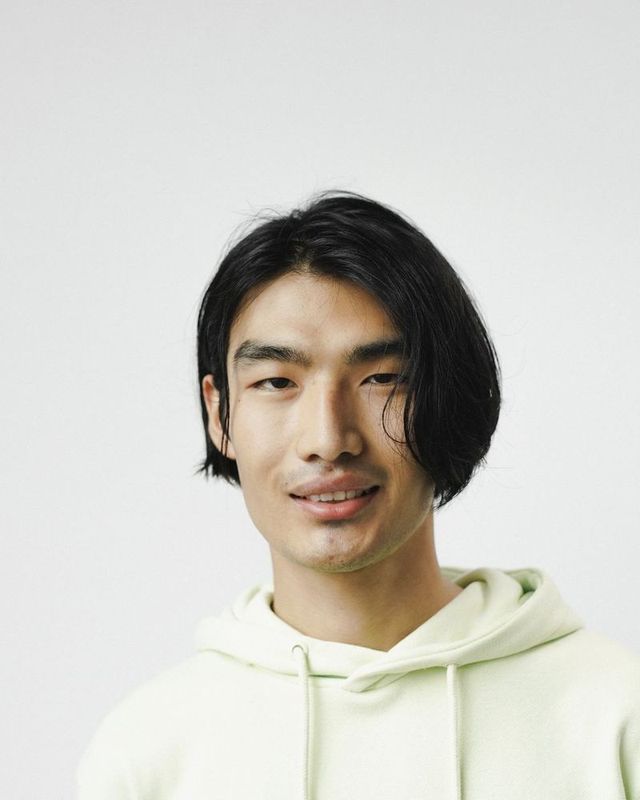
Guowang Li李国望
Co-founder · Software & reinforcement learning
Computer science background. Owns the pour trajectories and learning algorithms: pulling paths out of video, then teaching software to match them. Practices latte art at home, too.
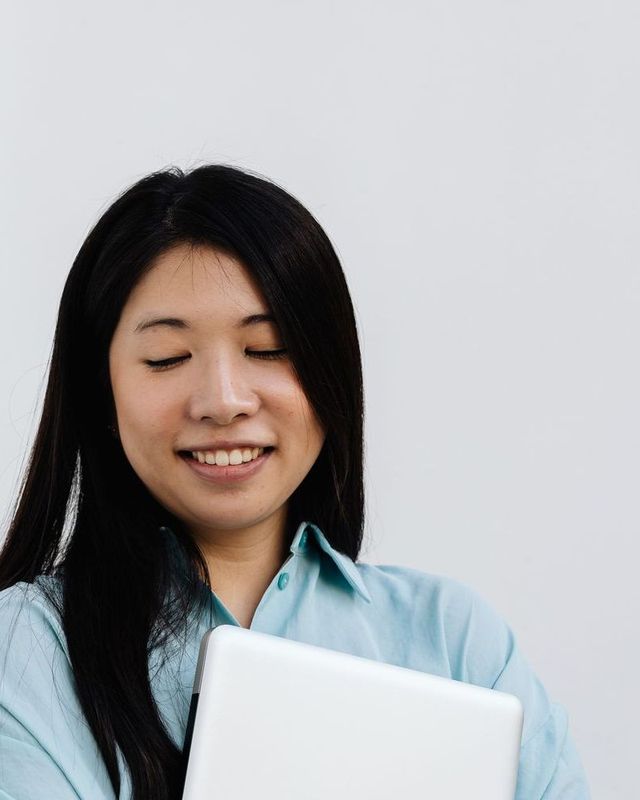
Jingyi Wang王婧怡
Co-founder · Marketing & brand
Leads user research, overseas markets and our online store. The question on her desk right now: where exactly do home baristas get stuck?

Manyu Wang王曼雨
Electronics
Works on microelectronics and control boards. Next up: turning paths in software into motions that motors and boards can actually execute.



XbotPark logo taken from its website; permission pending
Living Fire Innovation joined the XbotPark Songshan Lake robotics incubator in September 2026.
Lab log
- Video to path: working on the general pipeline.
- Photo to step-by-step poster works end to end.
- Joined the XbotPark Songshan Lake robotics incubator.
Come try it.
The beta is free. We'll start with people stuck at hearts and tulips, trying it on their own machine with their own cups.
We'll only use this to contact you about the beta, never to train models. Ask us to delete it anytime.
Questions
- What equipment do I need?
- Right now these are research demos, so there's nothing to buy. For the beta, your own espresso machine and cups are all you need.
- Which patterns are supported?
- Mainly hearts, tulips, rosettas and swans. Designs like the corgi or owl are experimental: we can generate them, but not reliably yet.
- How accurate is it?
- We don't have accuracy data yet, so we don't quote numbers. Once we have barista-reviewed samples, we'll publish results with sample sizes and dates.
- How much does it cost?
- The beta is free. Pricing hasn't been decided.
- What happens to my photos and videos?
- They're used only to generate your demo, never to train models. You can ask us to delete them at any time.